| | |
Manage your database with variety of functions |
| Trial period:
24 days. Try now! | current
version: 5.8.1.1201 | |
Description Key features
Supported database types Version
details What differences between Database Tour
and Database Tour Pro? What Database Tour features
highlight it among other database tools? Import
/ Export data Reports and data printing
Language support Installation
package Prices and registration |  |
| Description |
| Database Tour is a cross-database
tool. It is a convenient and powerful database program, which includes different
db utilities and tools like SQL tool, reporting tool, data converting, exporting,
importing utilities and much more. The program works with data through the
Borland Database Engine (BDE) or Microsoft ActiveX Data Objects (ADO). This allows
using the program as a cross-database tool. So, to use Database Tour you need
to install BDE 5.0 or above or ADO 2.1 or above. ADO is included in Windows
2000 and above. For other Windows systems, you may download and install MDAC from
Microsoft web site. You can check the presence of BDE and ADO on your machine
and their versions after installing Database Tour in About... section. Database
Tour developed mainly for professionals. But unexperienced users sometimes can
use it also (e.g., for report printing, table editing and so on). Main program
purposes: accessing databases; convenience in viewing and editing data; automation
of the most often used database operations; printing data in the most convenient
view. | | to
top | | Key
features | - Creating
tables for different types of databases.
- Viewing data in databases.
- Editing
data.
- Several ways to print data.
- Built-in report engine, which
allows to produce the reports automatically or by using a visual report designer
with templates, expressions, preview etc.
- Expression builder for report
expressions.
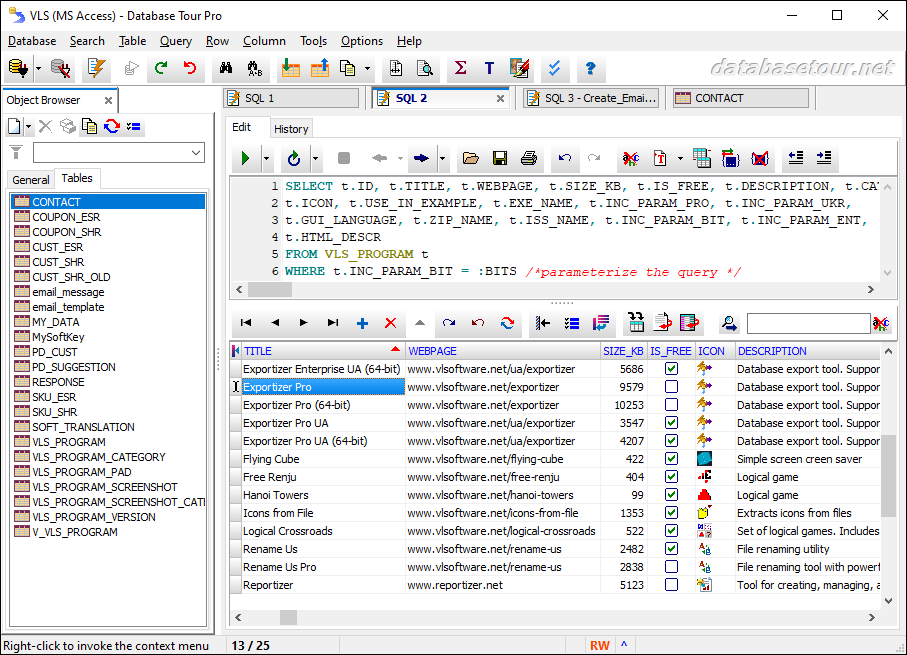
- Building and executing SQL queries.
- Support for execution
of multi statement SQL scripts.
- Syntax highlighting in SQL editor.
- Support
for parameterized SQL queries.
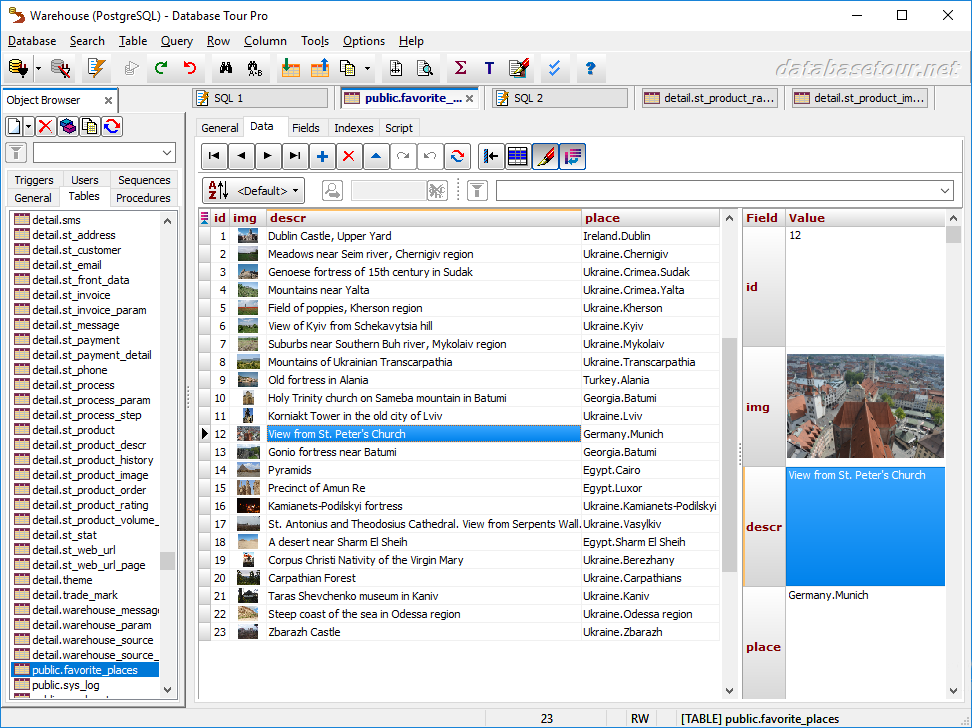
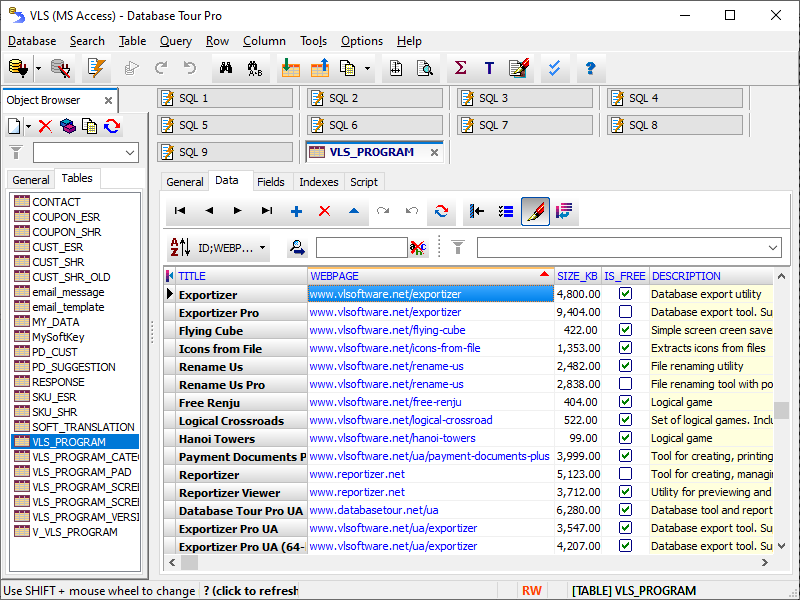
- Enhanced database grids, which allow to
view and manipulate the data in the most convenient way, including sorting by
clicking column header, changing row heights, resizing columns etc.
- Creating,
deleting, modifying BDE aliases.
- Command line support for executing queries,
opening tables, export-import operations, loading reports etc. with logging the
performed operations.
- Searching and replacing text in database with ability
to choose fields, record range etc.
- Import data to table from another
table or a query.
- Export data from open table or query of any format
to text, HTML, XLS, XML, RTF, CSV and to databases of other formats (which supported
by database engine installed).
- Copying data to clipboard.
- Calculating
numeric fields (sum, avg, min, max, count).
- Viewing and editing Blob
data, such as MEMO, graphic, RTF.
- Tools for editing text fields (trimming,
changing case of symbols).
- Sorting (logical and physical) data.
- Filtering
data according to specified criteria.
- Viewing table and database structure
with ability to print, copy, sort it.
- Reindexing tables.
- Customized
data view (font, background).
- Conditional formatting data in database
grids and reports.
- Ability to control transactions manually.
- Storing
database and SQL history.
| | to
top | | Supported
database types | |
Database Tour works with databases via ADO or BDE and was tested on the following
database types: - dBase / FoxPro (*.dbf). Access via BDE or
ADO (using ODBC or ISAM drivers).
- Paradox (*.db). Access via BDE
or ADO (using ODBC or ISAM drivers).
- Text (*.txt). Access via BDE
(text tables with schema files *.sch) or ADO (using ODBC or ISAM drivers).
- Comma
separated values (*.csv). Access via ADO (using text ODBC driver) or BDE (for
export purposes only).
- Lotus (*.wk1, *.wj2). Access via ADO (using
ISAM driver).
- HTML (*.htm, *.html). Access via ADO (using ISAM
driver).
- XML (*.xml). Access via BDE (for export purposes only)
or ADO (for import / export operations only).
- Interbase (*.gdb).
Access via BDE (using direct file link for local databases or BDE aliases for
remote databases) or ADO (using ODBC driver with direct file link for local databases
or ODBC DSN for remote databases).
- Microsoft Access (*.mdb). Access
via ADO (using ODBC driver) or BDE (using DSN-based BDE alias or native driver
(only Access 95-97)).
- Microsoft Excel (*.xls). Access via BDE (using
DSN-based BDE alias) or ADO (using ODBC or ISAM drivers).
- Microsoft
Visual FoxPro (*.dbc). Access via BDE (using DSN-based BDE alias) or ADO (using
ODBC drivers).
- Oracle. Access via BDE (using BDE alias) or ADO
(using ODBC DSN).
- SQL Server. Access via BDE (using BDE alias)
or ADO (using ODBC DSN).
- PostgreSQL. Access via BDE (using DSN-based
BDE alias) or ADO (using ODBC DSN).
- MySQL. Access via BDE (using
DSN-based BDE alias) or ADO (using ODBC DSN).
Theoretically, Database
Tour can work with some other formats (depending on database engine (ADO or BDE)
installed). | | to
top | | Version
details |
| Version | 5.8.1.1201 |
| Release date | 3/3/2008 |
| Size in Kb |
2079 Database Tour Pro 1911 Database Tour | | OS | Windows
95/98/NT4/2000/ME/XP/2003/Vista | | Language | English,
French, German, Ukrainian, Polish, Russian | | License
type | Shareware (Trial period = 24 days) |
| Price | Please
see ordering page. | |
Requirements | Borland Database Engine 5.0 or Microsoft
ADO | | Last changes | Please
see full version history. | |
| to
top | |
What differences between Database Tour and Database
Tour Pro? | |
Database Tour has two releases: Standard (or simply Database Tour) and Professional
(Database Tour Pro). Database Tour Pro has the following extra features comparing
with Database Tour: - Integrated report engine and report builder. - Full
command line support. While Database Tour supports only several command line options
(for encrypting/decrypting files, direct opening files, and some auxiliary options
like /ado, /bde etc.), the Database Tour Pro supports tens of command line options,
including options for export operations, query executing etc. - Generating
SQL. - Exporting SQL history to HTML and RTF. |
| to
top | |
What Database Tour features highlight it among other
database tools? | | 1.
Integrated report engine with a report designer (Database Tour Pro only). Data
from any open table or query can be printed in the most convenient view directly
in Database Tour Pro, without needing to transfer the data into other programs
(although this is also possible!). Database Tour Pro uses its own report engine.
2. Export-import data (see topic below). 3. Running SQL dumps.
With specifying a separator for SQL statements, you can run dumps with unlimited
count of statements at a time. 4. Big set of functions, which perform
most often used operations with databases, such as searching and replacing text
etc. 5. Great convenience of viewing the data. Table components of
Database Tour give you ability to view MEMO and graphic fields, expand rows, use
autoscrolling, sorting, selecting group of records, copying data etc. Data in
tables can be highlighted concerning to its content (so called conditional formatting).
There is a tool for working with BLOB fields, such as MEMO, graphic, RTF.
6. Large number of operations can be performed through command line (mostly
in Database Tour Pro). This allows using it in batch files, schedulers, and in
calls from your own programs. | |
to top | |
Import / Export data |
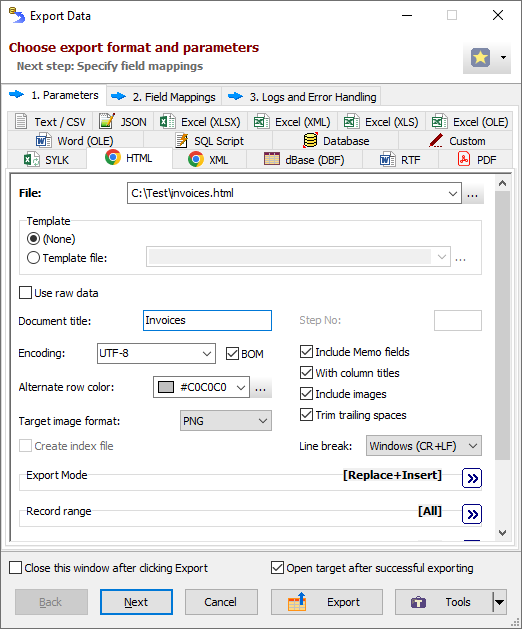
| The program allows to import data into the opened
table from another table (which can be of other data format) or open query. There
some useful import options, such as field matching, import type (appending, updating
or deletion), specifying the buffer for error records etc. Every open table
or query can be exported to the new table or file. The format conversion is also
possible. Except the standard database formats, the data can be exported to the
text, RTF or HTML documents, Excel sheets and some other formats. There is a set
of options, which gives an ability to maximally customize the exporting. Exporting
to HTML and RTF can be performed with pictures and all text formating (including
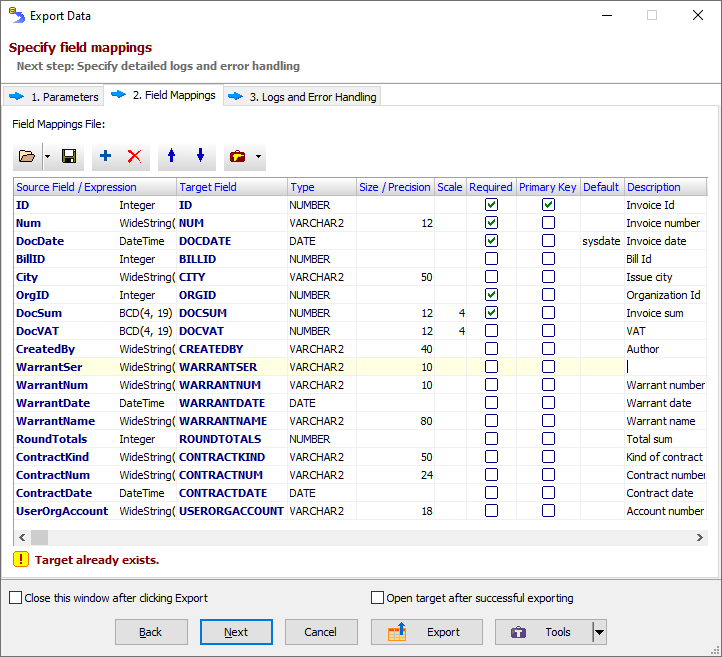
conditional formatting). Field mappings for import/export can be saved to
file and loaded from file. This gives additional flexibility for these operations. Data
exporting can also be executed in command line mode (Database Tour Pro only).
This allows to use the feature in scheduling and in making calls to Database Tour
Pro from other programs, including your own ones. 
|
| to
top | |
Reports and data printing |
| Database Tour can print the table data either as
they shown in the data grid or by using its own database reporting tool (Database
Tour Pro only). Such data, as contents of the graphic, Memo or RTF fields, can
be printed either separately or in reports (except RTF). In the first (after
opening data set) accessing the report builder or preview the report is automatically
generated. In many cases it is enough to print the data. If the automatically
created report does not satisfy the user, it can be edited in the report builder.
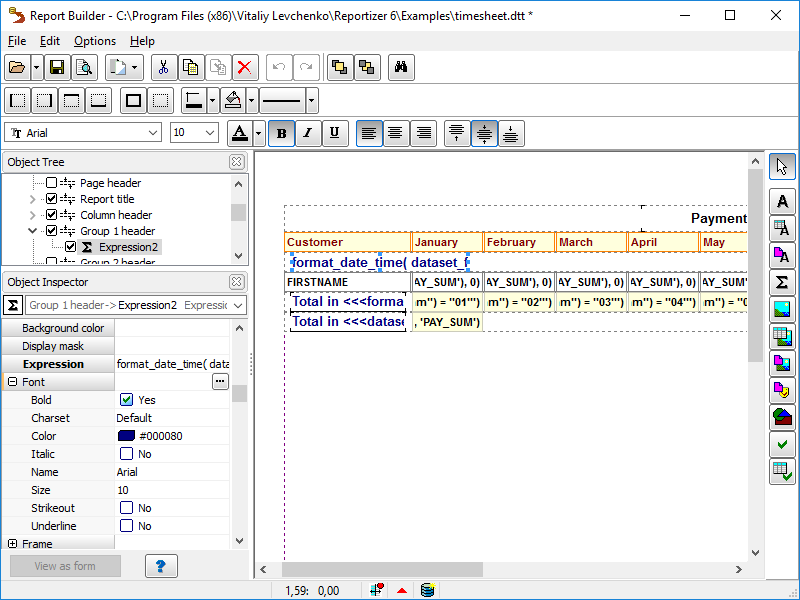
Report builder allows to customize your reports quickly and easily. It contains
convenient object inspector, tool bars etc. 
Database
Tour Pro reports allow using the aggregated expressions, grouping the data (only
one level in the current version), paste graphic shapes and pictures (from files
or database), highlight text by colors, background, borders etc. When the
report is ready, its template can be saved to file. It can be loaded from file
every time when it is needed. The template can be opened from the file either
in the program (from report builder after opening the data set) or simply by double-clicking
the file in Windows Explorer (in this case the linked data set is automatically
opened and the report template is loaded - you just print it!). 
|
| to
top | |
Language support | |
Current Database Tour version supports the following interface languages: English,
French, German, Polish, Ukrainian, Russian. Help files already developed for English,
Ukrainian, Polish and Russian languages. Users can switch between the languages
at any time. Any help in further translating the program interface to other
languages is very welcome. | | to
top | |
Installation package |
| - Main (executable) file. - Help files with
many different examples. - Sample databases in DBF format. - Files with
column definitions for the sample databases; just open the database, right-click
the data grid and choose Load Columns to load the column definitions and understand
how to customize the table view. - Example of export results in HTML format.
- Several report templates for sample databases (can be used in Database Tour
Pro only); just open the table, load the template in report builder and choose
Report Preview to view Database Tour reporting. | | to
top | |
Prices and registration |
| You can use the program for evaluation purposes
within 24 days after installing. After this period you should purchase it or uninstall
it. 1 user license costs US$ 59 for Database Tour and US$ 97 for Database
Tour Pro. There are volume discounts. When you purchase,
you will receive your password via E-mail, so you must have an E-mail address.
You must enter the password and your registration name in reply to the program
request or by choosing Help | Register Database Tour | Enter Password. Passwords
are case sensitive. Advantages for registered users - Non-limited
using Database Tour for any legal purposes. - Receiving full technical support
and updates information for the software via E-mail. - Free upgrades for the
entire major series. For example, if you purchase 5.0, you get all the 5.xx upgrades
free. - Great discounts (up to 80%) on upgrades to other major versions of
Database Tour (for example, from 5.xx to 6.xx). You can register now here. For additional information, please, contact
the author. | | to
top | |
Download
| | |
|