 Documentation


Running Multi-Command SQL Scripts
There is an ability to run multi-statement SQL scripts (scenarios). Each statement in the script must be separated with a statement separator (sometimes called terminator): a certain character or set of characters (without spaces), which is specified on the database connection level.
| Database type | Default SQL statement separator |
|---|---|
| Interbase | Caret sign (^) |
| Firebird | Caret sign (^) |
| Oracle | Combination of the semicolon (;) and SQL Plus style separator (a slash (/) at the beginning of the new line after the statement; to specify it in the database settings, use a <sqlplus> macro). If you rely on defaults, it is recommended to use a SQL Plus style separator to separate PL/SQL blocks (where the semicolon is a part of the language) and a semicolon in plain SQL. |
| SQL Server | A GO word at the beginning of the new line after the statement; to specify it in the database settings, use a <mssqlgo> macro. |
| Other | Semicolon (;) |
Executing multi-command SQL script:
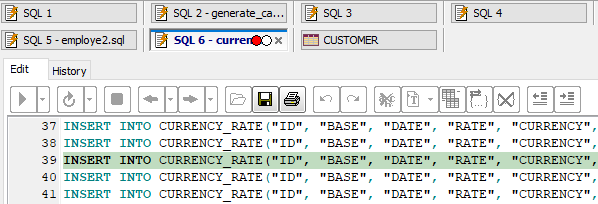
To change the SQL statement separator for a certain database, make sure the database is closed, then choose Database | Registered Databases... menu, select the needed database, click Edit button, find the SQL statement separator property, change its value to whatever you need, and click Apply Changes.
There is also an advanced way to execute multi-statement SQL scripts using a drop-down menu near Execute button, where you can also specify a log (result) file to save the information about each statement processing result. Attention! In this mode, when error is occurred during the statement execution, the current statement is skipped and the process continues with the next statement.
After the script execution ends, you can switch to the History page and see detailed statistics for every executed command in the pane below. If you double-click the line number of the command here (left-most column), you will be quickly moved to that line in the SQL editor.
See also